How to Keep a Daily Log: Boost Productivity and Track Your Progress

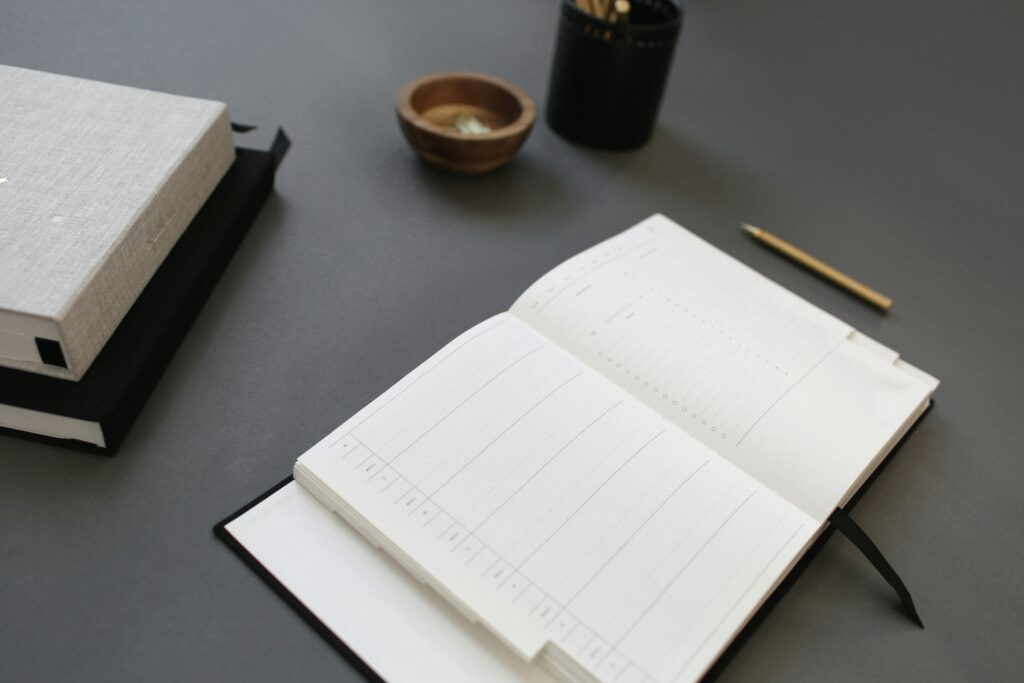
an empty daily log book

Have you ever reached the end of a busy week and wondered, What did I accomplish? If so, you’re not alone. Keeping track of your daily activities, goals, and reflections can feel overwhelming—but it doesn’t have to be. Enter the daily log: more than a planner, it’s a personal record that helps you track what’s coming up and what you’ve achieved and experienced.

Today, we’ll explore the definition of a daily log, why it’s worth your time, and how you can get started with tools and techniques that work for you.


What Is a Daily Log?

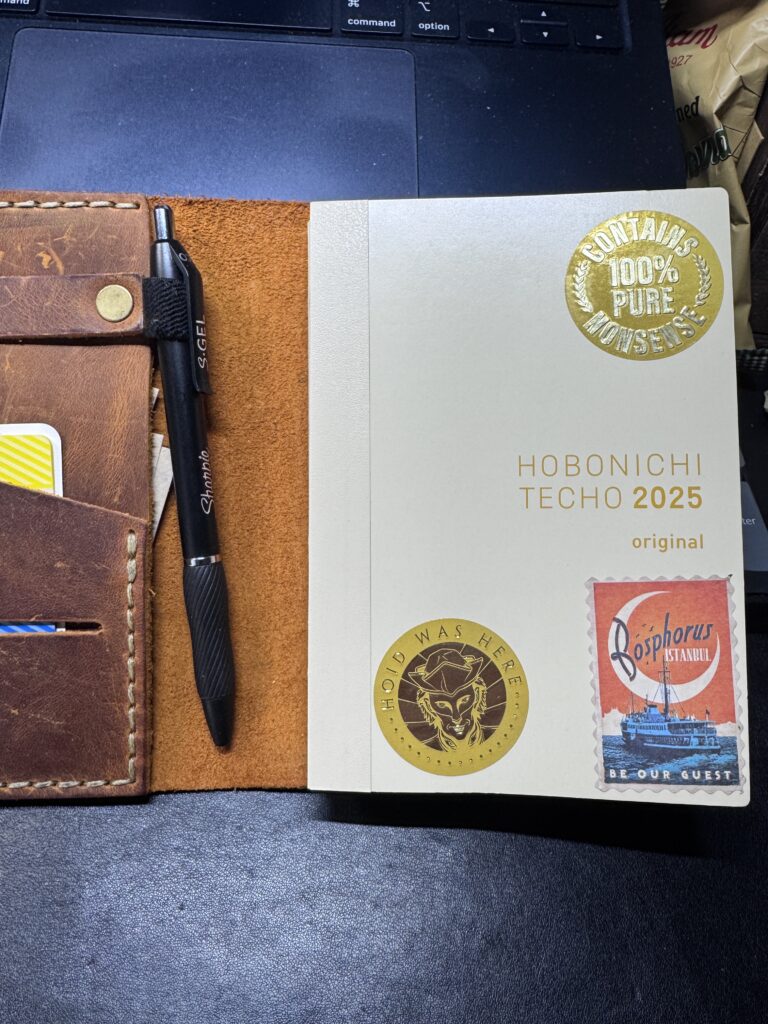
a personal daily log book hobonichi techo english language edition with stickers in a leather cover with pen
My daily log book with appropriate stickers added to the cover

A daily log is a hybrid between a traditional planner and a journal. It’s a place to record your appointments, to-do lists, and goals—but it doesn’t stop there. A good daily log also captures the following:

  • What you accomplished during the day
  • Memorable events or conversations
  • Personal reflections, observations, or lessons learned
  • Small wins or things you’re grateful for

Unlike a standard planner that looks forward, a daily log also looks back, creating a rich history of your life and productivity.


Why Should You Keep a Daily Log?

If you’re still unsure whether a daily log is worth the effort, here are five compelling reasons to give it a try:

1. Track Productivity

A daily log helps you capture what you’ve done—not just what you planned to do. This clearly shows your progress, even on chaotic or unproductive days. For example, noting that you “finalized the Q4 report” or “researched new project ideas” can remind you of the forward momentum you’re making.

2. Create a Historical Record

Your daily log becomes a personal time capsule. Whether it’s tracking professional milestones, noting personal growth, or capturing special moments, it’s a powerful tool for reflection. A quick flip through old entries can reveal how far you’ve come.

3. Spot Patterns

By regularly logging your days, you may notice patterns in your habits, energy levels, or productivity. For instance, you might find that you’re most focused in the morning or that certain tasks drain your energy.

4. Celebrate Wins

A daily log isn’t just for work. It’s also a way to recognize small victories, like completing a challenging workout, having a meaningful conversation, or enjoying a favorite meal.

5. Foster Mindfulness and Clarity

Taking a few minutes daily to log your thoughts and activities helps you process your experiences. This practice promotes mindfulness and can reduce stress by clearing mental clutter.


How to Start Your Daily Log

Ready to start logging? Here’s how to create a system that works for you.

1. Choose Your Format

Decide whether you prefer an analog or digital format. Each has its pros and cons:

  • Analog: A classic notebook or bullet journal offers simplicity and the tactile satisfaction of writing by hand.
  • Digital: Apps like Evernote or Notion provide flexibility, searchability, and integration with other tools.

2. What to Include in Your Daily Log

Here are some ideas to structure your entries:

  • Appointments and Tasks: Keep track of scheduled events and to-dos.
  • Accomplishments: Record what you completed—big or small.
  • Highlights: Note memorable moments, conversations, or achievements.
  • Reflections: Write down what stood out or how you felt about the day.
  • Gratitude: End each entry with something you’re thankful for.

3. Keep It Simple

Don’t overcomplicate it! A daily log should be functional, not perfect. Aim for consistency rather than perfection.

4. Make It a Habit

Tie your logging practice to your morning coffee or bedtime wind-down routine. Even spending five minutes a day can make a difference.


Tools to Enhance Your Daily Logging Practice

Physical Tools

Digital Tools

  • Apps: Consider apps like Day One, Trello, or Notion.
  • Templates: Download pre-made templates for daily logging.

Final Thoughts

A daily log is more than just an organizational tool—it’s a way to capture your life story. By tracking your progress, celebrating your wins, and reflecting on your experiences, you’ll boost productivity and gain clarity and mindfulness.


The Eclectic Educator is a free resource for everyone passionate about education and creativity. If you enjoy the content and want to support the newsletter, consider becoming a paid subscriber. Your support helps keep the insights and inspiration coming!
The Greatest Daily Planning Tool I’ve Ever Used

a collection of field notes notebooks on a cluttered desk
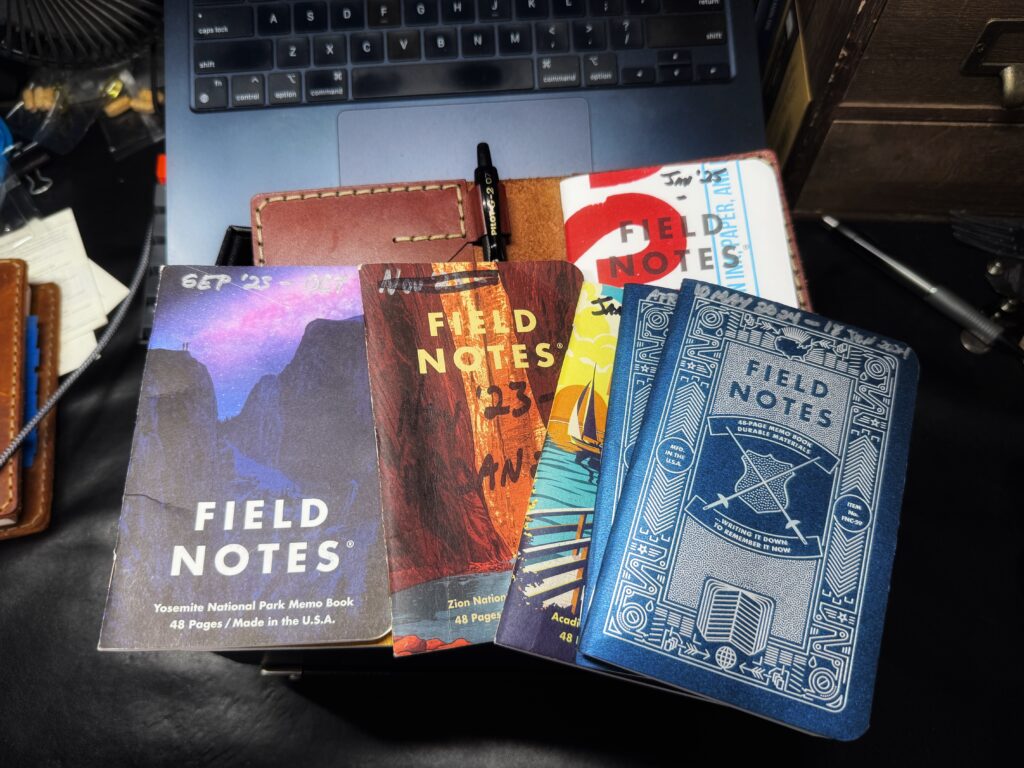
Some of my old Field Notes piled on top of my current book.

In a world overflowing with apps, devices, and digital productivity solutions, you might think my favorite daily planning tool would be something high-tech. But no—the greatest daily planning tool I’ve ever used is a humble, analog Field Notes notebook.

Let me tell you why this pocket-sized powerhouse has revolutionized the way I plan, track, and remember everything in my day-to-day life.

Totally Analog, Totally Reliable

There’s something refreshingly simple about pen and paper. A Field Notes notebook never needs charging, doesn’t require a Wi-Fi connection, and won’t distract you with notifications. It’s always ready when you are. Whether I’m jotting down tasks for the day, sketching out ideas, or making quick notes in a meeting, my Field Notes notebook is there for me—no loading screens, no software updates, just pure functionality.

Bullet-Journal Style Tracking

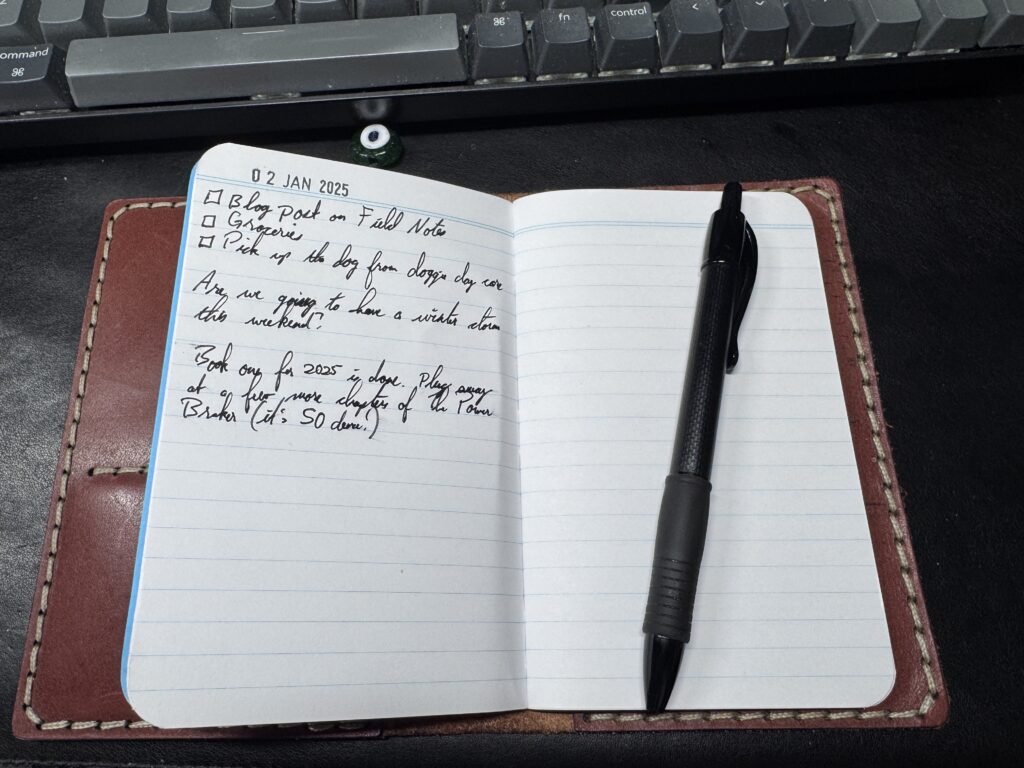
I use a bullet-journal style system to keep my Field Notes organized. Each day, I jot down tasks, reminders, and notes in a simple, flexible layout that I can adapt.

  • Tasks: I use simple symbols to mark tasks (□ for tasks, ✓ for completed, → for moved to another day).
  • Notes: Meeting highlights, quick ideas, or things I must remember get logged right next to my tasks.
  • Reminders: A quick star (★) next to an item ensures I’ll remember to follow up.

This system doesn’t lock me into predefined templates or digital workflows. If something isn’t working, I can change how I do things—no need to navigate settings or search for a new app.

Also, the minimalist nature keeps me focused on the important stuff. Yes, I doodle, sticker, stamp, washi tape, and do all the other journal-related things in my daily journal or reading journal, but my Field Notes are my daily driver, focused on the tasks at hand.

an example of notes in a field notes notebook
Today’s entry in my Field Notes. Notice the amazing date stamp.

Every day, a new page gets a date stamp (because date stamps are awesome), and the list begins. Sometimes, the list is quite long, sometimes it’s short. Yes, sometimes one day has more than one page. Whatever the day requires, that’s what it gets.

Completely Customizable

The beauty of Field Notes is that it’s as versatile as your imagination. Want to track habits? Create a grid. Need a place for brainstorming? Dedicate a few pages to freeform doodles. Whatever your system, these notebooks adapt to you, not the other way around.

Beautiful and Durable

Field Notes notebooks are beautifully designed. Their covers come in various styles, from classic kraft brown to limited-edition themes that feel like collector’s items (I LOVE the National Parks editions). Inside, the paper quality is great and perfect for my handy Pilot G2 pen.

I use a leather cover from Galen Leather, adding an extra layer of durability and style. However, you don’t have to use a cover. These notebooks hold up well independently, even with regular, rough use. Whether you go with a cover or not, Field Notes notebooks are built to last.

Why Analog Works for Me

Writing things down by hand requires a certain mindfulness. It forces you to slow down and think, which helps me prioritize and remember better than I could with an app. Research also shows that writing on paper helps us learn and remember more effectively than using a computer because we’re making more sensory connections.

Plus, flipping through past notebooks is like opening a time capsule of my life. My old Field Notes are filled with memories, ideas, and lessons that would’ve been lost in a digital archive.

Also, writing in a notebook has other advantages, regardless of the format. Jared Henderson talks about his philosophy, most of which I share (no, I don’t hate computers), and why he loves writing things down by hand:

A System That Works for You

Creating a system that works for you is the key to making a Field Notes notebook work. It’s not about adhering to someone else’s rules or layouts—it’s about making it your own. If you’re new to analog planning, start simple: a daily to-do list and a few notes. Over time, you’ll naturally develop a system that fits your needs.

Ideas for Using Field Notes

Here are a few other folks using Field Notes regularly to inspire you. First, Steven Foster shares some of his daily ideas:

Up next, Peter McKinnon used his Field Notes for 800 days and changed his life:

And here’s Sigogglin Jack’s “micro-bujo” implementation of his Field Notes, switching from a Moleskine journal for his everyday carry:

Final Thoughts

If you’re looking for a reliable, customizable, and beautifully simple way to organize your life, I can’t recommend Field Notes notebooks enough. Whether you’re a seasoned bullet journaler or just dipping your toes into analog planning, these little notebooks can help you stay on top of your game in a way that feels personal and satisfying.

So, ditch the endless search for the perfect app and try Field Notes. You might find that the best planning tool isn’t on your screen—it’s in your hand.


The Eclectic Educator is a free resource for everyone passionate about education and creativity. If you enjoy the content and want to support the newsletter, consider becoming a paid subscriber. Your support helps keep the insights and inspiration coming!
Google Docs is adding Markdown support (finally)

person wearing white dress shirt and black necktie using macbook air on beige wooden table
Photo by Cytonn Photography on Pexels.com

Markdown, the lightweight markup language that you can use to add formatting elements to plaintext text documents, is finally getting support in Google Docs.

Thank the Maker.

Google Docs was born from the conjoined features of a series of software company acquisitions (Writely, DocVerse, and QuickOffice), plus the remains of Google Wave, smooshed together into Drive by 2012. By that point, Markdown, a project of web writer John Gruber with input from data activist Aaron Swartz, had been solidified and gathering steam for about eight years. Then, for another decade or so, writing in Markdown and writing in Google Docs were two different things, joined together only through browser extensions or onerous import/export tools. An uncountable number of cloud-syncing, collaboration-friendly but Markdown-focused writing tools flourished in that chasm.

In early 2022, the first connecting plank was placed: Docs could “Automatically detect Markdown,” if you enabled it. This expanded the cursory support for numbered and unordered lists and checkboxes to the big items, like headlines, italics, bold, strikethrough, and links. You could write in Markdown in Docs, but you could not paste, nor could you import or export between Docs and Markdown styling.

Now, or at some point in the next 14 days, real, actual Markdown work can be done in Google Docs. Docs can convert Markdown text to its equivalent Docs formatting on paste or when imported as a file, and it can export to Markdown from the copy menu or as a file. Google’s blog post notes that this is “particularly useful for technical content writers as they can now convert Docs content to/from Markdown,” so as to use Google’s always-on syncing and collaboration in the interim stages.

Are you as excited about this as I am?


The Eclectic Educator is a free resource for everyone passionate about education and creativity. If you enjoy the content and want to support the newsletter, consider becoming a paid subscriber. Your support helps keep the insights and inspiration coming!
Google Sheets’ new formatting feature has Excel switchers excited

google sheets

Google Sheets now offers one-click tables for easier data formatting, a feature Excel users have long enjoyed. Users can quickly convert data into organized tables with filters and sorting options. The update includes pre-set formatting options and group-by-views for efficient data management.

What Google has created here looks a little bit like the AI-generated tables from its I/O developer conference this week but perhaps a little more power user-focused, and you don’t need its Gemini integration. If the new feature has hit your account already, you can try it by selecting a block of data and clicking Format > Convert to table.

The Verge

Saying “No” More Often

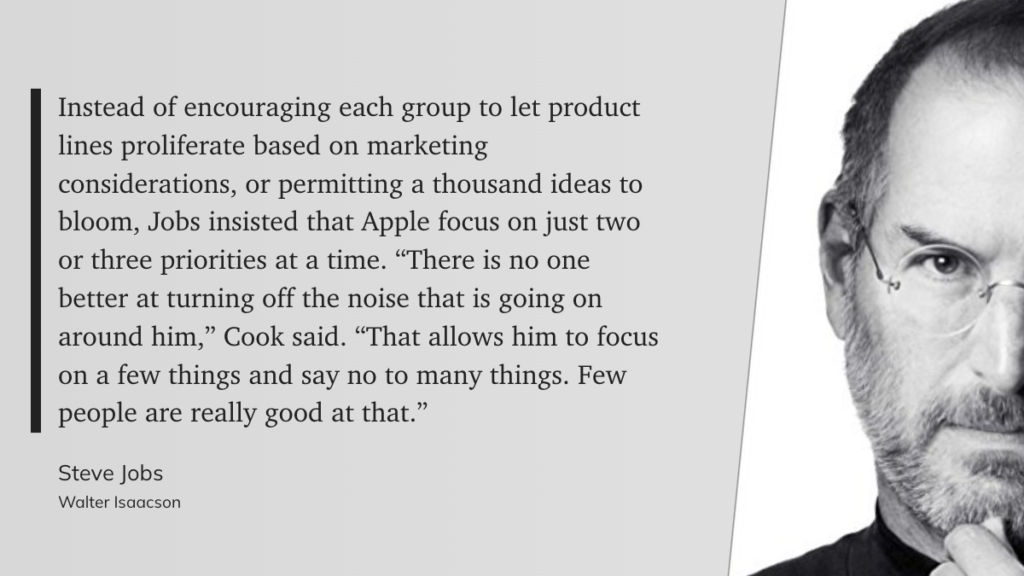
Learning to say “no” more often is a primary driver of success. We all have only so much bandwidth to dedicate to projects. Choosing not to do something or having no opinion about it leads to more productivity and less stress.


The Eclectic Educator is a free resource for everyone passionate about education and creativity. If you enjoy the content and want to support the newsletter, consider becoming a paid subscriber. Your support helps keep the insights and inspiration coming!

14 November 2023

Quote of the Day

"Nontraditional students appear to be more at home and successful as learners in classrooms where teachers connect them to subjects in new ways. The students we interviewed recognized and appreciated teachers’ efforts to get to know them and to create classroom settings that encouraged academic engagement and expression of ideas. Yet nontraditional students describe most of their classes as highly structured, teacher-controlled, and regimented."

“Nontraditional students appear to be more at home and successful as learners in classrooms where teachers connect them to subjects in new ways. The students we interviewed recognized and appreciated teachers’ efforts to get to know them and to create classroom settings that encouraged academic engagement and expression of ideas. Yet nontraditional students describe most of their classes as highly structured, teacher-controlled, and regimented.”

Jal Mehta, A Pernicious Myth: Basics Before Deeper Learning

Musical Interlude

Daft Punk is releasing a “drumless” version of their 2013 “Random Access Memories,” and I am absolutely here for it. Here’s the drumless version of “Motherboard”

Long Read of the Day

No one fully understood how smartphones or social media would transform every aspect of our life in the span of fifteen years. AI is a dynamic field, and its impact on education is beyond what any of us could probably comprehend today. The only way we can keep up is by building strong guardrails and regularly assessing and evaluating the extent to which AI tools are enhancing educational outcomes. We must also constantly anticipate and respond to unintended consequences as they emerge. This should include information from academic assessments, surveys, and feedback from teachers and students. The data collected should be used to refine AI implementation strategies and inform policy decisions.

Let’s get this right.

Khaled Ismail

Photo of the Day

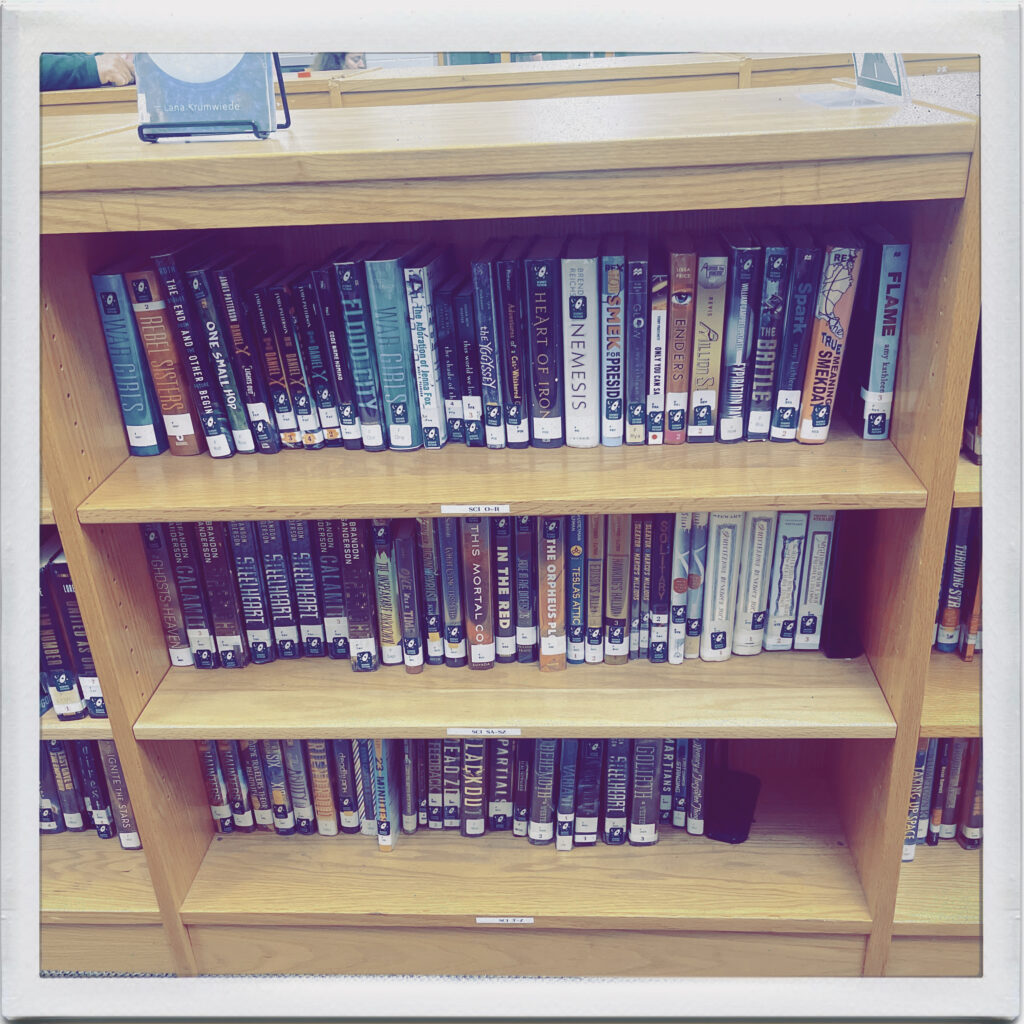
library books

At my daughter’s academic team match last night, I thought I’d grab a quick pic of one of the library shelves. Apparently, there are some Brandon Sanderson fans at this school.

Final Thoughts

If you’ve followed me for any length of time, you’ve probably heard me talk about my obsession with Notion as my primary productivity tool. I do my best to put everything in my Notion workspace in some form.

Today, Notion released a beta of the “Q&A” feature that allows you to “talk” with the information in your workspace.

I’m chasing the ultimate content curation strategy with my own Zettelkasten implementation, and this may just be the final piece to the puzzle form. Imagine having quick access to the thousands of articles, highlights, and more you have stored in your Notion workspace. All just by asking a simple question.

Pretty frickin’ cool.


The Eclectic Educator is a free resource for everyone passionate about education and creativity. If you enjoy the content and want to support the newsletter, consider becoming a paid subscriber. Your support helps keep the insights and inspiration coming!
Creating Smart Notes to Organize Your Thinking

"We need a reliable and simple external structure to think in that compensates for the limitations of our brains." (Sönke Ahrens, How to Take Smart Notes)

In the world of continuous learning, taking notes is an essential part of the process. However, not all note-taking methods are created equal. In his book “How to Take Smart Notes,” Sönke Ahrens introduces the zettelkasten note-taking system, a method used by German sociologist Nicholas Luhmann to write 58 books and over 500 academic papers.

The zettelkasten system is a remarkable way of connecting index cards to simplify the way in which you write the first draft of your book, academic paper, business plan, or article. It uses a two-stage filter to prevent mediocre ideas from diluting existing notes. Here’s a breakdown of how the system works:

Stage One: Capture Literature Notes and Fleeting Notes When making notes, capture literature notes by highlighting passages in your ebook reader or taking notes in a mobile note-taking application. You can also capture sections of online articles or podcasts that discuss the topic you’re researching. You can also capture fleeting notes by writing down random ideas that come to your mind throughout the day.

Stage Two: Create Permanent Notes Once a day, preferably at the same time every day, go through your literature notes and fleeting notes from the past 24 hours. Determine which notes you should convert to permanent notes. Two criteria for converting a note into a permanent note are:

  • Does this note produce a similar level of excitement as when you first captured it?
  • Does this note add value to other permanent notes?

If an idea from your literature notes or an idea from your fleeting notes meets those two criteria, make it a permanent note by rewriting it on an index card. Add a location code prefix to the title, a list of keywords in the top right corner, and links to permanent notes in the bottom right corner.

One of the advantages of the zettelkasten system is its bottom-up approach to writing. Rather than outlining your book or article from the start, the system encourages you to follow your curiosity, generate a list of keywords as you go, and organically grow an outline over time. By adding keywords to every permanent note, you can group notes together and quickly find relevant notes.

Location Code Prefix When you prefix every permanent note title with a location code, you make it easy to reference your notes later on. The first note you add to your zettelkasten system will have one prefix to its title, and your second note will have a two prefix to its title. If your third note builds off the first note, it should go between notes 1 and 2 and have the code 1a prefixed to its title.

List of Keywords Identifying keywords is as important as taking notes. Aim to add one to three keywords to the top right corner of every permanent note. Identify keywords by asking yourself what one word or phrase relates this note to existing notes. When you develop a new keyword or phrase, put it on your master index, located on an index card at the very front of your index card box.

Note Links A new permanent note may have many potential friends in your zettelkasten system. If a note could fit nicely behind note 12a1 but it also relates to notes 2b1 and 24b, don’t spend too much time debating where the note should go. Simply put it behind 12a1 by giving it the code 12a2 and write down the location codes for related notes in the bottom right corner of the note. These links will be helpful when you write your first draft.

To summarize, start by capturing literature notes and fleeting notes in a mobile note-taking application. Then, convert a select few into permanent notes by rewriting them on index cards. Continuously update your master index with keywords and use it to outline your first draft. Go through your zettelkasten system sequentially, one card at a time, and effortlessly write your first draft. The zettelkasten system is an incredibly powerful tool for anyone looking to improve their note-taking and writing skills.

So, what are you waiting for? Give the zettelkasten system a try, and transform how you take notes forever!

The Zettelkasten Method: How I Actually Use It (A Doctoral Student’s Honest Account)

I want to start with the problem, because most Zettelkasten guides skip it.

You read something genuinely useful. You highlight it, maybe jot a note in the margin, and move on. Three months later, you’re trying to connect that idea to something you’re writing, and you cannot for the life of you remember where you read it, what exactly it said, or how it fit into whatever you were thinking at the time. The idea is gone. Not because you’re not smart enough to remember it. Because that’s not what human memory is for.

Our brains were built to make connections between things, not to be filing cabinets. The filing cabinet instinct — highlight it, dump it in Evernote, never think about it again — is exactly backward. You’re outsourcing the thinking part and keeping the forgetting part.

The Zettelkasten method fixes this. I’ve now been running my system for several years, first built it seriously when my doctoral reading volume became genuinely overwhelming, and I’m heading into year four of the dissertation — near the finish line — with a system that has become part of how I work and think across every domain of my life, not just academic writing. The dissertation is almost done. The Zettelkasten is permanent.

Here’s what I’ve learned.


What the Zettelkasten Actually Is

The words are German: Zettel means “slip of paper,” and Kasten means “box.” Slip box. That’s the whole thing — Niklas Luhmann, a German sociologist writing in the mid-twentieth century, kept a box of index cards where he recorded his ideas, one per card, linked to other cards through a numbering system he developed himself.

He published 70 books and over 400 scholarly articles. He credited the slip box. Not his intelligence, not his work ethic — the system.

What made Luhmann’s approach different from just keeping notes wasn’t the index cards. It was that the cards talked to each other. Each note referenced other notes. Ideas linked to ideas. Over time, the box developed what Luhmann called a “conversation partner” — a second mind that could surprise him with connections he hadn’t consciously made.

That’s the thing most people miss when they first hear about Zettelkasten. It’s not an organizational system. It’s a thinking system. The goal isn’t to store information — it’s to generate new ideas by forcing your notes into relationships with each other.


How I Got Here

My first encounter with anything like this was reading about how Ryan Holiday writes his books. He uses a notecard system — one idea per card, physically sorted into categories, pulled out when he’s writing. It’s not quite Zettelkasten, but it’s the same instinct: single ideas, physically handled, connected by the writer’s judgment rather than a folder hierarchy.

When I started my doctoral program and the reading volume became genuinely overwhelming — dozens of articles a week, books on top of books, sources I knew I’d need to cite but couldn’t reliably locate again — I needed something more systematic.

The Zettelkasten method, as popularized by Sönke Ahrens in How to Take Smart Notes, is what I landed on. Ahrens’s book is still the best entry point if you want to understand the theory before building the practice.


The Three Types of Notes That Actually Matter

Most Zettelkasten guides give you five or six note types and immediately make the whole thing feel complicated. In practice, I work with three:

Fleeting notes are the raw capture. Something I heard, read, or thought that seems worth keeping. No polish required. I write these in my Field Notes notebook — the one that’s always in my back pocket — with a date stamp and whatever I can get down in thirty seconds. They’re temporary. Their only job is to get the idea out of my head before I lose it.

Literature notes are what I write after sitting with a source. When I finish a book or article that matters, I go through my fleeting notes and highlights and write one note per idea — not a summary of the chapter, not a quote, but what I think this means and why it matters. In my own words. This is where the thinking starts.

Permanent notes are the keepers. These are the ideas that survive the literature note stage and earn a place in the main system. Each one stands alone — a complete thought that makes sense without context. Each one links to other permanent notes where the connection is real, not just topical.

The discipline is: no permanent note without a connection. If a new note can’t be linked to anything you already have, either the note isn’t ready yet, or you’re missing a bridge note that should exist.


My Actual Setup: Cards Plus Notion

I run a hybrid system. The physical component is 4×6 ruled notecards — the sweet spot for a single idea with enough space to actually develop it. I use a date stamp to record when a card entered the system. I write with Blackwing pencils because the erasability matters when you’re still working out what a note should say.

The cards live in a card box on my desk, organized into loose topic clusters that shift as the system grows. I don’t use a strict numbering system — I’ve found that topical clusters with cross-references work better for my brain than pure alphanumeric sequences.

The digital component is Notion. When a permanent note is fully formed, it gets entered into Notion with tags, links to related notes, and a reference to the source. This is where the search capability becomes essential — finding a note about something I read eighteen months ago takes seconds.

The hybrid approach sounds redundant, but it isn’t. Writing by hand forces slower, more deliberate thought. The physical card is where I work out what I actually think. Notion is where I store it and connect it at scale.


What This Looks Like in Practice

Here’s a concrete example from my dissertation work.

I read an article about distributed cognition — the idea that human thinking isn’t just what happens inside our skulls but includes the tools and environments we think with. I write a fleeting note while reading: distributed cognition — thinking happens in the system, not just the thinker. Interesting connection to why PKM matters?

Later, I write a literature note: Hutchins (1995) argues that cognition is distributed across people, artifacts, and the environment. Navigation example: the ship’s navigation system is the unit of cognition, not any individual sailor.

That becomes a permanent note: Tools are not just extensions of thinking — they are part of thinking. A well-designed external system (like a Zettelkasten) is literally part of the cognitive process, not a substitute for it. Linked to: notes on Vygotsky’s zone of proximal development, notes on embodied cognition, notes on why writing clarifies thinking.

Months later, I’m working on a section about student-centered learning environments. I pull the distributed cognition note. It connects, in ways I didn’t plan, to three other notes I’d written about classroom design and technology integration. The Zettelkasten hands me an argument I didn’t know I was building.

That’s the thing. It surprises you.


The Next Frontier: Obsidian + Claude Code

I’m going to be honest: I’m still experimenting with this, so take it as a field report rather than a recommendation. But it’s too interesting not to share.

Andrej Karpathy — co-founder of OpenAI, former Tesla AI director, one of the clearest thinkers working in AI today — recently published a pattern he calls the LLM Wiki. The idea is deceptively simple: instead of keeping your notes in a system that you navigate manually, you keep them as structured plain-text markdown files, and you point an LLM directly at that folder to find connections, synthesize ideas, and build new understanding across everything you’ve written.

Karpathy’s framing is sharp: the shift is from retrieval to compilation. Traditional search asks “which note answers this query?” The LLM wiki asks “build and maintain a persistent, cross-referenced knowledge base that already contains the synthesized answer.” The AI doesn’t just search your notes — over time, it helps write and maintain them, surfacing connections you didn’t consciously make.

What makes this particularly interesting for Zettelkasten practice is that it doesn’t replace the method — it extends it. The atomic note principle, the linking discipline, the permanent note as a self-contained idea: all of that still applies and in fact becomes more powerful when an LLM can read the whole vault and identify non-obvious connections across it.

The workflow I’m exploring: Obsidian as the front end (free, local files, excellent graph visualization of note connections), Claude Code as the intelligence layer pointed at the vault. You give Claude Code a schema file that tells it what the wiki is for and how it’s structured, then feed it sources — articles, book notes, research papers, your own existing notes — and it builds and maintains the wiki, linking ideas across everything you’ve given it.

Karpathy himself manages wikis of over 100 articles this way. The graph view in Obsidian, showing every connection between notes visually, is something you have to see to understand — it’s a map of how your ideas actually relate to each other, not how you filed them.

I’m at the stage of migrating some of my Notion notes into an Obsidian vault and running Claude Code against it to see what connections it surfaces that I haven’t made manually. Early results are genuinely surprising in the way the best Zettelkasten surprises are — the system finding threads you didn’t know you were pulling.

If you want to explore this yourself, Karpathy’s gist is at github.com/karpathy, and there are now several good community implementations. Start small — one topic domain, a handful of sources — and see what happens.


The Biggest Mistakes People Make

Highlighting is not note-taking. A highlight is a bookmark. It says “I thought this was interesting” and nothing else. Unless you return to it and write what you think it means, it’s not knowledge — it’s a marker in a document you’ll probably never reopen.

Too many categories too early. The instinct to organize before you have enough material always produces a structure that fights the content. Let the connections emerge from the notes themselves. Restructure when the natural clusters become clear.

Skipping the rewrite. Writing a literature note in your own words — not copying the quote, not paraphrasing loosely, but actually reconstructing the idea from scratch — is where the learning happens. It’s uncomfortable because it forces you to distinguish between what you actually understood and what you just recognized.

Treating it as a productivity system. The Zettelkasten is slow. A well-formed permanent note might take twenty minutes to write. It will pay for that time a hundred times over when you need it, but if you’re measuring output by notes per hour, you’re measuring the wrong thing.

Abandoning it when life gets busy. The system only has value if it has continuity. Even one card a week keeps it alive. The temptation during high-pressure periods is to stop feeding the system — exactly when you need it most.


The Tools

Physical:

Digital:

  • Obsidian — free, local files, excellent bi-directional linking, increasingly my recommendation for anyone starting fresh. The graph view alone is worth it.
  • Notion — what I’ve used for years and still use; better for combining notes with project management
  • Claude Code — for the Karpathy LLM Wiki pattern; points directly at your local Obsidian vault

Books:


Is It Worth It?

I’m four years into a doctoral program — near the finish line — and the Zettelkasten is the primary reason I’m not drowning. The reading has been relentless, and the connections between sources are what the work lives on. Without a system that forces me to make those connections explicit and retrievable, I’d be starting from zero every time I sat down to write.

But here’s the thing I’ve come to understand about this system: it was never just a dissertation tool. The notes I’ve written about instructional coaching, about technology in education, about how people actually learn — those connect across my classroom work, my doctoral work, my writing, my thinking in every direction. The system doesn’t belong to a project. It belongs to the thinker.

The Karpathy LLM Wiki pattern is the next chapter of that idea. If the Zettelkasten is a conversation partner you build note by note, an LLM pointed at your vault is something like that partner getting a significant intelligence upgrade. I’m genuinely excited to see where it goes.

Start small. Write one permanent note today about something you read this week. Not a summary — what you think it means. Link it to one thing you already know.

That’s the whole thing. Do it again tomorrow.


The tools I use for my Zettelkasten — notecards, date stamp, Blackwing pencils, Field Notes, and more — live on my Favorite Gear page. If you want to see how the Field Notes fit into daily planning, that post goes deeper on the daily capture side of this system.


The Eclectic Educator is a free resource for everyone passionate about education and creativity. If you enjoy the content and want to support the newsletter, consider becoming a paid subscriber. Your support helps keep the insights and inspiration coming!
Time Management Tips: Powerful Strategies to Help Educators and Administrators Maximize Productivity

Miles Davis, the American jazz impresario, once said, “Time isn’t the main thing, it’s the only thing.”

For certain, we don’t have enough time to do everything we want to do in our classrooms. But we are given the same amount of time as everyone else in this old world of ours, so we must figure out better ways to use our time.

For educators and administrators to thrive in the classroom or beyond, they need a firm grasp of time management. Unfortunately, there’s no one-size-fits-all solution – every educator has different obligations, workloads, and personalities.

The good news is that with a few powerful strategies for maximizing productivity, you can take control of your time to reach new heights of efficiency in both teaching and administrative tasks.

So let’s dive into some powerful strategies which will enable you (and, by extension, your school) to get more done in less time – so that you can focus on what matters most: creating an amazing learning environment where students can thrive.

Time management tips for educators

Educators are always looking for ways to be more efficient with their time. Here are some tips that can help:

Plan ahead. The more you plan, the less rushed you’ll feel and the more accomplished you’ll feel at the end of the day.

Set priorities. Know what is important and focus on those tasks first.

Delegate tasks whenever possible. Get help from others in your department or school to lighten your load.

Take breaks. Breaks help to refresh your mind and make you more productive when you return to work.

Use technology to your advantage. Many helpful tools online can help you manage your time better.

Tips for maximizing productivity in the classroom

To boost productivity in the classroom, several things can be done. Creating a supportive and effective learning environment is one of the most important. This can be accomplished by providing clear guidelines and expectations for the class and by interacting with students in a supportive and upbeat manner.

Being organized and having a plan for each class time are also crucial. This entails having a specific goal for what you want students to learn and a flow of activities that will guide them there.

It is also helpful to give students structure, especially if they struggle with focus or organization. This can be done by giving them specific tasks to complete during class or by providing a model for how work should be completed. Finally, it is important to remember that different students learn differently and to try to incorporate different teaching methods into your classroom to reach all students.

Strategies for conquering paperwork and administrative tasks

When it comes to conquering paperwork and administrative tasks, there are a few key strategies that can help make the process a little bit easier.

Yes, even in the digital world, there is still “paperwork” to deal with daily. It just happens to take up space on a hard drive or cloud storage somewhere. You still need a strategy for processing those files.

First and foremost, you should devise a system for arranging your paperwork/digital data. This could imply organizing documents into topic-specific folders, color-coding them, or using another method that makes sense to you. A system will help you keep track of what you have and will make it easier to find what you need when you need it.

Another effective strategy is to divide large tasks into smaller ones. Trying to tackle a mountain of paperwork all at once can be overwhelming, so take it one step at a time. Begin by identifying the most pressing tasks and focusing on them first. Then move on to less urgent matters. Breaking the process down into smaller chunks will make it feel less intimidating and more manageable.

Finally, don’t be afraid to ask for help when you need it. There is no shame in admitting that you are struggling with a particular task and seeking assistance from someone who can help. Friends, family members, and even professional assistants can all be useful resources for getting things done.

How to create a personal time management plan

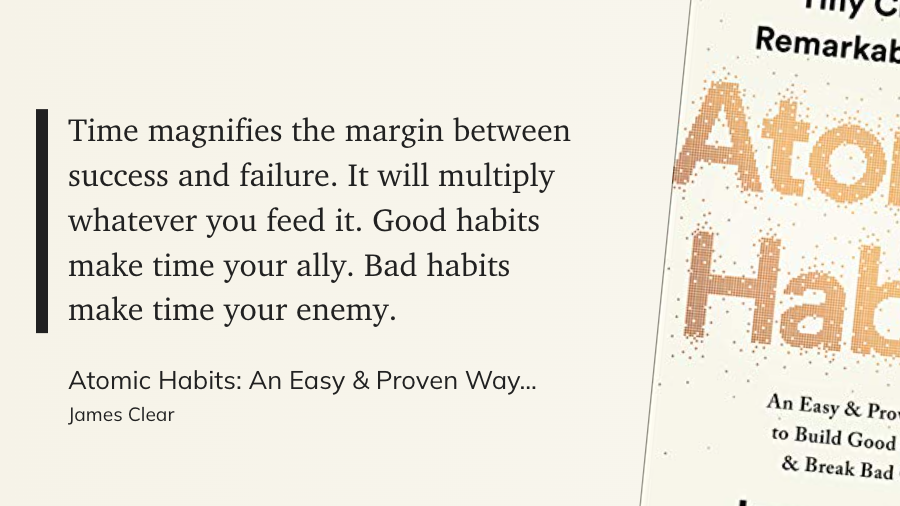
Atomic Habits by James Clear

Making a personal time management plan is an excellent way to ensure that you use your time as efficiently as possible. When developing your strategy, keep the following points in mind.

The first step is to determine your objectives. What do you hope to accomplish in life? After you’ve identified your objectives, you can devise a strategy to achieve them.

Your time management strategy should also include a daily schedule of what you intend to do. This will help you stay on track and make progress toward your objectives. It is also critical to be realistic about how much you can accomplish in a day and to avoid over-committing yourself.

Furthermore, creating some ground rules for how you will use your time is beneficial. Will you, for example, allow yourself to check email or use the internet for recreational purposes only after certain tasks have been completed? Will you designate specific times of the day for work and rest?

Making a personal time management plan can help you do more daily and reach your goals. By taking the time to create a plan that works for you, you can ensure that you are making the best use of your time.

The benefits of effective time management for educators

Time management is an important skill for educators. When educators are organized and efficient with their time, they can accomplish more during the school day. This not only benefits the educator but also the students they teach.

There are several benefits to effective time management for educators. First, when educators are organized, they can plan their lessons better and ensure that all necessary materials are prepared ahead of time. This makes for a smoother classroom experience for both the educator and the students.

Second, when educators are efficient with their time, they can get more work done in a shorter amount of time. This allows them more time to spend on important tasks such as grading papers or preparing for future lessons.

Third, when educators manage their time well, it can lead to a more balanced lifestyle. This is important, as it can help prevent burnout.

Lastly, when educators are good at managing their time, it sets a good example for their students. Teaching students how to manage their time effectively is an important life skill that will benefit them long after they have left school.

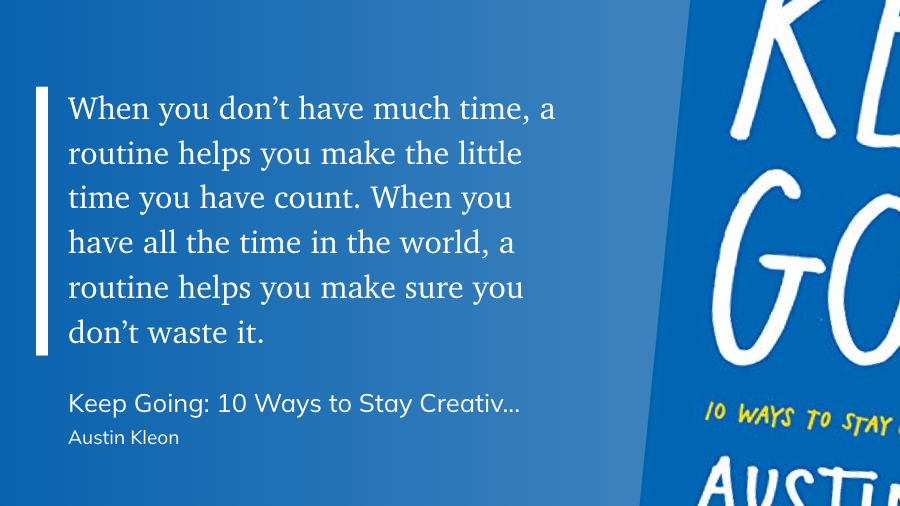
Keep Going by Austin Kleon

Conclusion

To summarize, effective time management has numerous advantages for educators. When educators organize and use their time efficiently, they can accomplish more during the school day. This results in a more enjoyable classroom experience for both the educator and the students and a more balanced lifestyle. Teaching students how to effectively manage their time is an important life skill that will benefit them long after graduating high school.

If you’re a teacher, you already know that time management is critical to academic success. You can maximize your productivity, conquer paperwork and administrative tasks, and create a personal time management plan that works for you by following some simple tips and strategies. The advantages of effective time management are numerous; not only will you be more productive in the classroom, but you will also have more free time to pursue your interests outside of work. Learn more about how to manage your time as an educator here.


Thanks for reading. Get access to exclusive content and expert insights on technology, teaching, and leadership by subscribing to my newsletter. Stay up-to-date on the latest trends and join our community of professionals and educators worldwide.