Doing the Work of Learning

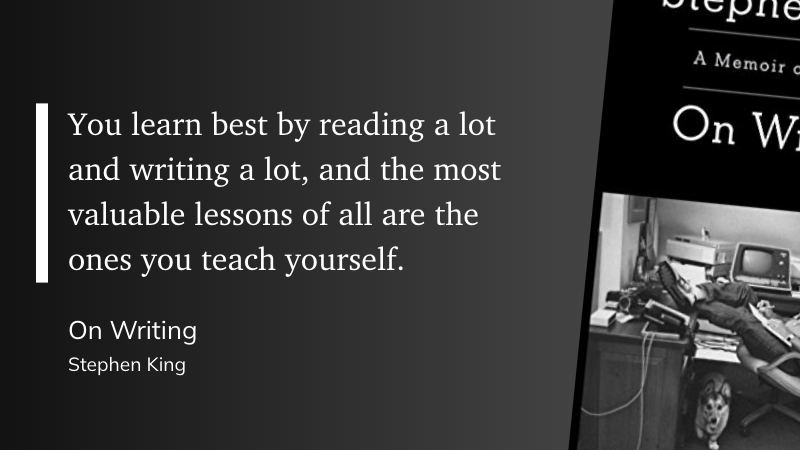
There is no substitute for doing the work, whatever your work may be. Put in the time, mastery will come.

stephen king on writing


The Eclectic Educator is a free resource for everyone passionate about education and creativity. If you enjoy the content and want to support the newsletter, consider becoming a paid subscriber. Your support helps keep the insights and inspiration coming!
Is journalism disappearing?

close up view of an old typewriter
Photo by Suzy Hazelwood on Pexels.com

I know folks have strong feelings about this, especially journalism profs. Trust me — there’s no one who loves journalism as much as me, or someone who is constantly screaming about the blurring lines between *content* and *journalism.* But — I’m coming from a place of concern.

Tulika Bose, Scientific American

Leaders from several US journalism schools discuss the news industry’s declining state and how they prepare students to enter a turbulent business. They acknowledge the harsh economic realities facing the industry, which has seen layoffs and the closure of several news outlets.

However, they stress the importance of journalism and the need to teach students the skills needed to report on crucial events and provide accurate information to the public. These educators are also exploring ways to make journalism education more affordable and equip students with the knowledge to understand the business side of news.


The Eclectic Educator is a free resource for everyone passionate about education and creativity. If you enjoy the content and want to support the newsletter, consider becoming a paid subscriber. Your support helps keep the insights and inspiration coming!

Using Photography as a Writing Tool

black dslr camera mounted on black tripod
Photo by PhotoMIX Company on Pexels.com

Photography allows me to reevaluate my linguistic and narrative choices from a fresh perspective and reframe the central questions of my work.

Jennifer Croft

Jennifer Croft, a recipient of literary grants and a founding editor of The Buenos Aires Review, discusses how photography can be used as a tool to inspire and improve writing. Croft highlights various considerations in photography, such as format, frame, contrast, texture, and depth of field, that can be applied to literature in productive ways. By adopting a fresh perspective and reframing the central questions of their work, writers can experiment with different techniques and enhance their storytelling.


The Eclectic Educator is a free resource for everyone passionate about education and creativity. If you enjoy the content and want to support the newsletter, consider becoming a paid subscriber. Your support helps keep the insights and inspiration coming!

Beyond English: Why Writing Belongs in Every Classroom

person holding blue ballpoint pen writing in notebook
Photo by picjumbo.com on Pexels.com

Given the benefits of writing on reading skills, comprehension, information retention, higher-order thinking, and quality of learning, it makes sense for all teachers to focus on increasing the time they dedicate to writing in their classrooms.

Dr. Catlin Tucker

Dr. Catlin Tucker emphasizes the importance of integrating writing across all subjects in education. Tucker argues that writing enhances learning, academic success, and helps students develop relationship skills and manage emotions.

She highlights how writing boosts reading skills, comprehension, and higher-order thinking. It underscores the necessity for educators to support students through the writing process, leveraging it for a deeper understanding of material and emotional well-being, regardless of the subject taught


The Eclectic Educator is a free resource for everyone passionate about education and creativity. If you enjoy the content and want to support the newsletter, consider becoming a paid subscriber. Your support helps keep the insights and inspiration coming!
Scraft – An AI Writing Tutor for Language Learners

old opened book with calligraphic inscription
Photo by Skylar Kang on Pexels.com

In a recent study conducted by researchers at Columbia University, a prototype AI writing-support tool named Scraft has been developed. This tool is designed to aid writing education by using recursive feedback mechanisms to encourage critical thinking.

Scraft is not just a simple text-generating AI; it’s a sophisticated tool that asks Socratic questions to users and provides personalized feedback throughout the writing process. This approach is designed to stimulate critical thinking and improve writing skills by engaging the writer in a recursive process of reflection and revision.

The researchers conducted a preliminary study with 15 students to evaluate the effectiveness of Scraft. The results indicated that the recursive feedback provided by Scraft was helpful in improving the students’ writing skills. However, the participants also noted that the feedback was sometimes factually incorrect and lacked context. This highlights the challenges of developing AI tools that can provide accurate and contextually appropriate feedback.

The researchers argue that AI writing-support tools should focus on preserving the recursive and thought-provoking nature of writing. This means that the AI should not just correct grammar and spelling errors, but also engage the writer in a dialogue that encourages reflection and revision.

Scraft could be particularly beneficial for multilingual learners. It can provide immediate, personalized feedback, which can be especially helpful for those who are learning English as a second language and may not have access to a human tutor. The Socratic questioning approach used by Scraft can also help multilingual learners to think critically in English, which is an important skill for academic writing.

However, it’s important to note that Scraft is still a prototype and further research is needed to improve its accuracy and contextual understanding. Despite these challenges, the development of Scraft represents an exciting step forward in the use of AI in education.


The Eclectic Educator is a free resource for everyone passionate about education and creativity. If you enjoy the content and want to support the newsletter, consider becoming a paid subscriber. Your support helps keep the insights and inspiration coming!
2023: A Quick Half-Year Review

black and white typewriter on table
Photo by Markus Winkler on Pexels.com

Heading into the second half of 2023, I thought I’d take a minute and review some of my accomplishments thus far. This is mostly for my own benefit as I continue to curate a digital commonplace book.

Also, it scratches my itch to curate all the things. So here we go…

Reading

  • Yearly Books Goal: 150 books
  • Pages Read Goal: 50K
  • Current book count: 59 books
  • Current page count: 22k

Writing

  • Blog posts this year: 94
  • Class papers: Who the hell knows, but it was a lot

Professional Development

  • Four full-day PD sessions
  • Two mini-sessions
  • Numerous one-on-one meetings with teachers

Music

I curate a Spotify playlist every year of great songs I find or rediscover over the course of the year. Here is the 2023 playlist, so far:


The Eclectic Educator is a free resource for everyone passionate about education and creativity. If you enjoy the content and want to support the newsletter, consider becoming a paid subscriber. Your support helps keep the insights and inspiration coming!

Comparing and Testing AI for Education

AI robots becoming the new rulers, a grand throne room filled with robots in regal attire, adorned with glowing symbols and intricate metalwork, human ambassadors kneel in submission, the mood is one of awe and submissiveness, Artwork, a detailed Renaissance-style oil painting with the use of dramatic chiaroscuro to highlight the metallic sheen and grandeur of the robots

Professor and friend John Nash co-hosts a podcast on all things online learning. In a recent episode, he shared his work on coaching ChatGPT to write more “human” and the results are… interesting…

While generative AI tools are very cool right now, they are a long way from being truly disruptive and overtaking the world.

Here’s what’s interesting. Scaffolding the prompts, defining perplexity and burstiness, and then prompting an explicit increase of those measures made the text “human” to GPTZero. Still, it also made the text ridiculously flowery and inflated. Kind of like when a master’s student thinks they are supposed to “sound academic.” It was so bad that the ChatGPT output was immediately suspect to my human eyes, even though GPTZero said it was likely written entirely by a human.

– John Nash, PhD

The Zettelkasten Method: How I Actually Use It (A Doctoral Student’s Honest Account)

I want to start with the problem, because most Zettelkasten guides skip it.

You read something genuinely useful. You highlight it, maybe jot a note in the margin, and move on. Three months later, you’re trying to connect that idea to something you’re writing, and you cannot for the life of you remember where you read it, what exactly it said, or how it fit into whatever you were thinking at the time. The idea is gone. Not because you’re not smart enough to remember it. Because that’s not what human memory is for.

Our brains were built to make connections between things, not to be filing cabinets. The filing cabinet instinct — highlight it, dump it in Evernote, never think about it again — is exactly backward. You’re outsourcing the thinking part and keeping the forgetting part.

The Zettelkasten method fixes this. I’ve now been running my system for several years, first built it seriously when my doctoral reading volume became genuinely overwhelming, and I’m heading into year four of the dissertation — near the finish line — with a system that has become part of how I work and think across every domain of my life, not just academic writing. The dissertation is almost done. The Zettelkasten is permanent.

Here’s what I’ve learned.


What the Zettelkasten Actually Is

The words are German: Zettel means “slip of paper,” and Kasten means “box.” Slip box. That’s the whole thing — Niklas Luhmann, a German sociologist writing in the mid-twentieth century, kept a box of index cards where he recorded his ideas, one per card, linked to other cards through a numbering system he developed himself.

He published 70 books and over 400 scholarly articles. He credited the slip box. Not his intelligence, not his work ethic — the system.

What made Luhmann’s approach different from just keeping notes wasn’t the index cards. It was that the cards talked to each other. Each note referenced other notes. Ideas linked to ideas. Over time, the box developed what Luhmann called a “conversation partner” — a second mind that could surprise him with connections he hadn’t consciously made.

That’s the thing most people miss when they first hear about Zettelkasten. It’s not an organizational system. It’s a thinking system. The goal isn’t to store information — it’s to generate new ideas by forcing your notes into relationships with each other.


How I Got Here

My first encounter with anything like this was reading about how Ryan Holiday writes his books. He uses a notecard system — one idea per card, physically sorted into categories, pulled out when he’s writing. It’s not quite Zettelkasten, but it’s the same instinct: single ideas, physically handled, connected by the writer’s judgment rather than a folder hierarchy.

When I started my doctoral program and the reading volume became genuinely overwhelming — dozens of articles a week, books on top of books, sources I knew I’d need to cite but couldn’t reliably locate again — I needed something more systematic.

The Zettelkasten method, as popularized by Sönke Ahrens in How to Take Smart Notes, is what I landed on. Ahrens’s book is still the best entry point if you want to understand the theory before building the practice.


The Three Types of Notes That Actually Matter

Most Zettelkasten guides give you five or six note types and immediately make the whole thing feel complicated. In practice, I work with three:

Fleeting notes are the raw capture. Something I heard, read, or thought that seems worth keeping. No polish required. I write these in my Field Notes notebook — the one that’s always in my back pocket — with a date stamp and whatever I can get down in thirty seconds. They’re temporary. Their only job is to get the idea out of my head before I lose it.

Literature notes are what I write after sitting with a source. When I finish a book or article that matters, I go through my fleeting notes and highlights and write one note per idea — not a summary of the chapter, not a quote, but what I think this means and why it matters. In my own words. This is where the thinking starts.

Permanent notes are the keepers. These are the ideas that survive the literature note stage and earn a place in the main system. Each one stands alone — a complete thought that makes sense without context. Each one links to other permanent notes where the connection is real, not just topical.

The discipline is: no permanent note without a connection. If a new note can’t be linked to anything you already have, either the note isn’t ready yet, or you’re missing a bridge note that should exist.


My Actual Setup: Cards Plus Notion

I run a hybrid system. The physical component is 4×6 ruled notecards — the sweet spot for a single idea with enough space to actually develop it. I use a date stamp to record when a card entered the system. I write with Blackwing pencils because the erasability matters when you’re still working out what a note should say.

The cards live in a card box on my desk, organized into loose topic clusters that shift as the system grows. I don’t use a strict numbering system — I’ve found that topical clusters with cross-references work better for my brain than pure alphanumeric sequences.

The digital component is Notion. When a permanent note is fully formed, it gets entered into Notion with tags, links to related notes, and a reference to the source. This is where the search capability becomes essential — finding a note about something I read eighteen months ago takes seconds.

The hybrid approach sounds redundant, but it isn’t. Writing by hand forces slower, more deliberate thought. The physical card is where I work out what I actually think. Notion is where I store it and connect it at scale.


What This Looks Like in Practice

Here’s a concrete example from my dissertation work.

I read an article about distributed cognition — the idea that human thinking isn’t just what happens inside our skulls but includes the tools and environments we think with. I write a fleeting note while reading: distributed cognition — thinking happens in the system, not just the thinker. Interesting connection to why PKM matters?

Later, I write a literature note: Hutchins (1995) argues that cognition is distributed across people, artifacts, and the environment. Navigation example: the ship’s navigation system is the unit of cognition, not any individual sailor.

That becomes a permanent note: Tools are not just extensions of thinking — they are part of thinking. A well-designed external system (like a Zettelkasten) is literally part of the cognitive process, not a substitute for it. Linked to: notes on Vygotsky’s zone of proximal development, notes on embodied cognition, notes on why writing clarifies thinking.

Months later, I’m working on a section about student-centered learning environments. I pull the distributed cognition note. It connects, in ways I didn’t plan, to three other notes I’d written about classroom design and technology integration. The Zettelkasten hands me an argument I didn’t know I was building.

That’s the thing. It surprises you.


The Next Frontier: Obsidian + Claude Code

I’m going to be honest: I’m still experimenting with this, so take it as a field report rather than a recommendation. But it’s too interesting not to share.

Andrej Karpathy — co-founder of OpenAI, former Tesla AI director, one of the clearest thinkers working in AI today — recently published a pattern he calls the LLM Wiki. The idea is deceptively simple: instead of keeping your notes in a system that you navigate manually, you keep them as structured plain-text markdown files, and you point an LLM directly at that folder to find connections, synthesize ideas, and build new understanding across everything you’ve written.

Karpathy’s framing is sharp: the shift is from retrieval to compilation. Traditional search asks “which note answers this query?” The LLM wiki asks “build and maintain a persistent, cross-referenced knowledge base that already contains the synthesized answer.” The AI doesn’t just search your notes — over time, it helps write and maintain them, surfacing connections you didn’t consciously make.

What makes this particularly interesting for Zettelkasten practice is that it doesn’t replace the method — it extends it. The atomic note principle, the linking discipline, the permanent note as a self-contained idea: all of that still applies and in fact becomes more powerful when an LLM can read the whole vault and identify non-obvious connections across it.

The workflow I’m exploring: Obsidian as the front end (free, local files, excellent graph visualization of note connections), Claude Code as the intelligence layer pointed at the vault. You give Claude Code a schema file that tells it what the wiki is for and how it’s structured, then feed it sources — articles, book notes, research papers, your own existing notes — and it builds and maintains the wiki, linking ideas across everything you’ve given it.

Karpathy himself manages wikis of over 100 articles this way. The graph view in Obsidian, showing every connection between notes visually, is something you have to see to understand — it’s a map of how your ideas actually relate to each other, not how you filed them.

I’m at the stage of migrating some of my Notion notes into an Obsidian vault and running Claude Code against it to see what connections it surfaces that I haven’t made manually. Early results are genuinely surprising in the way the best Zettelkasten surprises are — the system finding threads you didn’t know you were pulling.

If you want to explore this yourself, Karpathy’s gist is at github.com/karpathy, and there are now several good community implementations. Start small — one topic domain, a handful of sources — and see what happens.


The Biggest Mistakes People Make

Highlighting is not note-taking. A highlight is a bookmark. It says “I thought this was interesting” and nothing else. Unless you return to it and write what you think it means, it’s not knowledge — it’s a marker in a document you’ll probably never reopen.

Too many categories too early. The instinct to organize before you have enough material always produces a structure that fights the content. Let the connections emerge from the notes themselves. Restructure when the natural clusters become clear.

Skipping the rewrite. Writing a literature note in your own words — not copying the quote, not paraphrasing loosely, but actually reconstructing the idea from scratch — is where the learning happens. It’s uncomfortable because it forces you to distinguish between what you actually understood and what you just recognized.

Treating it as a productivity system. The Zettelkasten is slow. A well-formed permanent note might take twenty minutes to write. It will pay for that time a hundred times over when you need it, but if you’re measuring output by notes per hour, you’re measuring the wrong thing.

Abandoning it when life gets busy. The system only has value if it has continuity. Even one card a week keeps it alive. The temptation during high-pressure periods is to stop feeding the system — exactly when you need it most.


The Tools

Physical:

Digital:

  • Obsidian — free, local files, excellent bi-directional linking, increasingly my recommendation for anyone starting fresh. The graph view alone is worth it.
  • Notion — what I’ve used for years and still use; better for combining notes with project management
  • Claude Code — for the Karpathy LLM Wiki pattern; points directly at your local Obsidian vault

Books:


Is It Worth It?

I’m four years into a doctoral program — near the finish line — and the Zettelkasten is the primary reason I’m not drowning. The reading has been relentless, and the connections between sources are what the work lives on. Without a system that forces me to make those connections explicit and retrievable, I’d be starting from zero every time I sat down to write.

But here’s the thing I’ve come to understand about this system: it was never just a dissertation tool. The notes I’ve written about instructional coaching, about technology in education, about how people actually learn — those connect across my classroom work, my doctoral work, my writing, my thinking in every direction. The system doesn’t belong to a project. It belongs to the thinker.

The Karpathy LLM Wiki pattern is the next chapter of that idea. If the Zettelkasten is a conversation partner you build note by note, an LLM pointed at your vault is something like that partner getting a significant intelligence upgrade. I’m genuinely excited to see where it goes.

Start small. Write one permanent note today about something you read this week. Not a summary — what you think it means. Link it to one thing you already know.

That’s the whole thing. Do it again tomorrow.


The tools I use for my Zettelkasten — notecards, date stamp, Blackwing pencils, Field Notes, and more — live on my Favorite Gear page. If you want to see how the Field Notes fit into daily planning, that post goes deeper on the daily capture side of this system.


The Eclectic Educator is a free resource for everyone passionate about education and creativity. If you enjoy the content and want to support the newsletter, consider becoming a paid subscriber. Your support helps keep the insights and inspiration coming!
Crafting a Digital Commonplace Book

commonplace book
Photo by Aaron Burden on Unsplash

One of the most fulfilling tasks I do on a regular basis is updating my commonplace book. What’s a commonplace book? Simple: it’s a place to store all those quotes, lyrics, poems, passages, etc. that mean something to you.

It’s a way to store all the things you read, regardless of their format, in one place so that you can access it any time you want. The concept isn’t new by any means; people across history have kept some form of a commonplace book. Marcus Aurelius had one that would later be published. Ralph Waldo Emerson, Henry David Thoreau, Mark Twain, and Virginia Woolfe all had one.

Modern authors like Austin Kleon and Ryan Holiday keep one. The formats change based on the person but they all serve the same purpose: a way to keep track of things that mean something to you.

Ryan Holiday has famously used his note card system as the basis for writing his books, something he picked up while working for Robert Greene.

If you want to dive deeper into this system of note-taking, writing, and organizing, read up on the Zettelkasten Method.

Personally, I keep a daily journal and I’ve been using my own version of the notecard system for the past couple of years. However, as I’m heading into my doctoral work this fall as I write, I’m attempting to update my commonplace system.

While I agree there is tremendous benefit in writing things down on paper – I write in my journal by hand in cursive daily – the real power of keeping a record of all the things in your commonplace book is when you can make connections between different entries.

I’ve tried making those connections with my note cards, but it hasn’t worked for me. So I needed to come up with something better. Something digital.

I’ve come up with a two-pronged approach. One of those prongs is this blog you are reading now.

For too many years, I tried to take blogging far too seriously. Always trying to write something meaningful and important while sharing things that I found or learned with the world.

My anxiety (which turns out to be pretty crippling and only in the last year have I really begun to get a handle on it) wouldn’t let me craft those perfect blog posts.

But, I can create short posts that I can share quickly with the world and store on this blog while organizing it pretty quickly into different topics.

The inspiration for this shift comes from Cory Doctorow. He refers to it as “The Memex Method” and many writers use it to create a commonplace book that doubles as a public database.

memex method
Photo by Patrick Perkins on Unsplash

Enter the Memex

Vannevar Bush famously described the memex as “an enlarged intimate supplement to one’s memory.”

Cory’s link blog is here.

Longstanding tech columnist John Naughton has one here. And I’m sure there are many others out there you could look through.

This blog that has been in existence in one form or another for 16 years is now becoming my public memex, my online database of things I learn, like, and use regularly.

Using WordPress tags, I can quickly filter posts into multiple topics and save them for later reference. And so can any of my readers. Of course, building this will take time and input data on a daily basis.

The second prong of this memex is my personal database, powered by Evernote. I’ve had an Evernote account since March of 2008 while it was still in beta, I think. But I’ve never used it very well.

Now, I have one notebook in my Evernote account. But a bajillion tags. I’m still working through all my existing notes and adding tags which will take some time but I’m feeling good about that progress and excited for the results.

I’m also taking all my existing note cards and scanning them into Evernote for tagging. The tags will sort and connect the ideas from various notes, giving me lots of sources for new articles and possibly even books.

As Robert Greene has said, “Everything is material.”

I just had to find a way to keep my material organized. I’ll keep you updated here on my progress.

Why is this important for educators?

I don’t know. Maybe it isn’t. If you’re a researcher, I can’t help but think it would be useful to have a very organized and connected system for your research.

But for the classroom teacher or administrator, how helpful would it be to connect the threads of all your work over the years? Likely, very helpful. And think of what you could share with your colleagues or future students.